
How to add teammates to your team
Use this guide to invite teammates to your Siftsy team so they can access your team's posts, collections, and analyses.
Add a teammate
On the home page, click the settings icon in the top menu bar
Inside the Team Settings panel that appears, select the Team Members tab
Scroll down to the Add teammate by email input field
In the input field, type your teammate's email address, then click Add Teammate
In the confirmation card that appears, choose whether to send an email invitation to notify the person, then click Add Teammate to confirm
If checked, an email will be sent with instructions to join your team
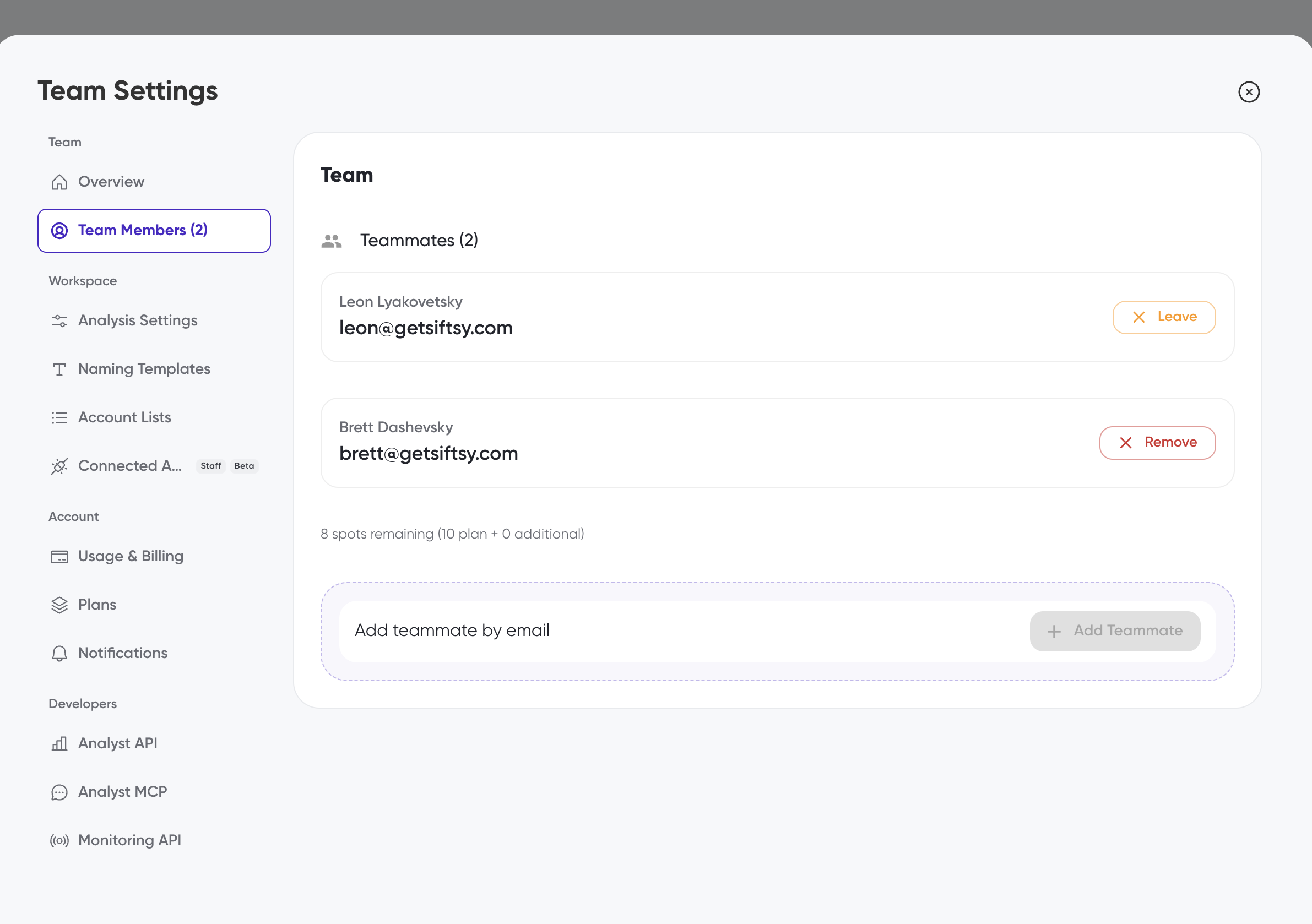
Your teammate will appear in the Teammates list. On Growth and Powerhouse teams there is a single member role, so every teammate gets the same access to all team data and analytics. The number of available spots depends on your plan, and the remaining spots are shown below the teammate list.
Enterprise teams have three roles: Admin, Analyst, and Reader. Admins are assigned first, when your Enterprise team is set up. Admins then add users and their roles in the Enterprise dashboard.
Admin: full access, including adding users and managing team settings
Analyst: can upload content and analyze new content
Reader: can view the team's content and analyses, but can't upload content or run new analyses
If you are at your seat limit, click Add Seats to contact support about adding more capacity.
What's next
Learn how to choose or upgrade your plan in How to purchase a plan, or start uploading posts in How to upload posts.